Sunday, October 21, 2018

Cyberbullying: The Surprising Facts

Cyberbullying: The Surprising Facts


Chantal Faucher, Wanda Cassidy, and Margaret Jackson define bullying as the “repeated aggressive behaviors that are intended to cause harm to a victim with relatively less power to defend themselves.”  However, cyberbullying is not always initiated by what we think of as the typical bully.  The reality of cyberbullying is that it can be initiated by anyone, at any time, through multiple platforms.  This idea is what I found very interesting about cyberbullying because cyberbullying, quite frankly, can happen to and by anyone. 

I believe that it really is easier for kids to be cyberbullies than a "traditional" bully.  It is easier to say things behind the comfort of a computer screen and keyboard.  I see this daily on social media platforms, such as Facebook, where people make rude comments or remarks to total strangers.  Adults are guilty of being cyberbullies just as much as children. 

In the video below, Emma shares her story of how she was a victim of cyberbullying by her best friend.   

Emma's Story: Cyberbullied by a Best Friend

Cyberbullying is a huge concern of mine as my district moves to eLearning because every student will have access to technology at home.  While this is a wonderful initiative which will level learning gaps across the district, it also opens up a whole new world of potential for cyberbullying.  Even though I am in an elementary building, that does not mean that I will not have students who face cyberbullying.  Before devices begin going home with students nightly, my plan is to teach a series of digital citizenship lessons in the library, especially with the students in grades 3 - 5 because that is the age group where I anticipate the most potential for problems to arise.

NetSafe: Cyberbullying

Common Sense Education provides a wealth of resources on digital citizenship, including cyberbullying, and you can locate lesson ideas by grade level.

Other Resources on Digital Citizenship and Cyberbullying

Friday, October 12, 2018

Make Learning Fun with Kahoot!


Let’s face it, reviewing for a big test can get boring, especially when you are just discussing important points.  Why not make your review more fun by using Kahoot?  Best of all, Kahoot it totally free!

Getting Started 

To access Kahoot, you will need to visit https://kahoot.com and create your free account.  For more directions on creating your account, visit the help page.  Once you have created an account, you can either browse Kahoots which have already been created or you can create your own.  Creating a new Kahoot is the best way to tailor the material to suit your classroom needs.  Directions for creating your own Kahoot can also be found in the help page

Starting the Fun 

Once you have created or found a Kahoot, let the game begin.  Students will log in using a specific game pin, which is auto-generated, and depending on how you set up gameplay, they can either type in their name or select a username.  Once everyone is in, questioning will begin.  What makes a Kahoot fun to the students is that they are playing against each other, and they score points, not only by getting the correct answers but also by who responds the quickest.  This makes reviewing for a big test or exit tickets from a lesson much more fun.


Kahoots for Homework

Kahoot also recently launched its newest platform where students can play at home for their homework.  Students can access the Kahoot via a mobile app, and their responses are collected for the teacher just as in normal gameplay.


Here are some suggestions of when to use Kahoot in your classroom:

  • Reviewing for a test
  • Exit Slips
  • Homework assignments 
  • Brain Breaks
  • Indoor Recess
  • Fact Reviews (Multiplication Tables)

The possibilities are endless!

Other helpful resources for Kahoot:


Sunday, October 7, 2018

Adaptive Tool for the Flipped Classroom

Adaptive Tool for the Flipped Classroom 

When I was completing my undergraduate studies at Clemson University, I was able to take American Sign Language as my foreign language.  As a result, I became very active in the ASL Club where I was able to participate in numerous events within the Clemson / Anderson Deaf Community, and I was able to learn so much about the community and their culture.
After watching and reading this week’s material, it really had me reflecting back on my experiences as an undergrad and how the deaf community can and will be impacted by the flipped classroom movement.  I started about, what tool could I share with the teachers in my school which could be used as an adaptive technology to meet the needs of potential students who are members of the deaf community. Personally, as a teacher, I have never even considered this as an obstacle unless I had a deaf student in my classroom room, presently, but there are is always a chance of class roster changes throughout the year.  Also, if I had an exceptional lesson which I had flipped, I would want the ability to use it from year to year, so accommodations should be considered in the beginning and not just because you have a new student come in.
With all of this in mind, Screencast-o-matic was the resource that first came to mind.  Screencast-o-matic can be found at https://screencast-o-matic.com/.  Screencast-o-matic has free and paid versions, both of which you can utilize to add closed captioning to anything which you record.  I know that most of the time, teachers are going to want a tool to use which is free, but personally, I think the Solo Deluxe plan is well worth the $1.50/per month that you spend. The see a full comparison of the free versus paid versions please visit https://screencast-o-matic.com/plans.  

With Solo Deluxe, you can edit video, script your video, as well as utilize other resources built into their platform. The biggest perk with the paid version is that you can easily edit the closed captions if the auto recognition does not get the wording correct.  This is especially useful if you are using the video as a flipped lesson. All videos can also be uploaded to a teacher’s Google Drive, which would make sharing lessons through a Google Classroom much easier without the worry of a district monitoring program blocking a YouTube video which you created.

Saturday, September 29, 2018

Chromebooks in the Classroom

Chromebooks: A Versatile Classroom Tool

Chromebooks are one of the most versatile and relatively inexpensive pieces of technology available to school today.  Not only do they allow the internet to be easily accessible, students are able to utilize numerous web 2.0 tools, as well as basic word processing functions.  There really are a wealth of resources available to teachers and students through Chromebooks. As a classroom teacher, I was fortunate to have them, 1-to-1, for 7 out of the 8 years which I was in the classroom.  They allowed me to test the boundaries of eLearning and provide my students with opportunities which may otherwise have been impossible.


The R.A.T. Model is a wonderful resource to use when implementing technology like Chromebooks into the classroom because it takes the user through different stages of how the technology can be used.  The model allows teachers at different levels of comfort with technology to find something useful to them and their students. The graphic below shows some basic applications of a Chromebook through the different level of the R.A.T. method, but a teacher would not be limited by the graphic because pretty much anything you use on the internet you can use on a Chromebook, and that does not even include all of Google’s Apps for Education.

Helpful Links on Chromebooks


Saturday, September 15, 2018

Bitmoji in the School??

Bitmoji in the School??


Librarians wear so many different hats within the school building.  I know that I sure do from running my library, to issuing textbooks, and even serving as the school's state testing coordinator.  Sometimes I really feel like I need a girl scout vest with badges representing all of the jobs that I do on a daily basis.  One of the biggest jobs which I have in my school relates to technology.  Yes, most of the time it involves my 7-month pregnant self, running around to the school fixing technology.  Sometimes, I feel like that's all I get to do with technology, but I do see myself as being a technology leader in the school.  While I may have to take baby steps with the teachers so as not to overwhelm them, because "although teachers are excited about the potential instructional benefits of digital resources and technology, many are overwhelmed, and need assistance and leadership in incorporating the most appropriate technology efficiently and meaningfully for both teaching and learning." (Johnson, 2012)  In the article School Librarians as Technology Integration Leaders: Enablers and Barriers to Leadership Enactment, "school librarians provide leadership, instruction, and collaboration in the use of instructional technologies and should move beyond the role of provider of resources to one who leads in the use or integration of these resources for learning."


Keeping Johnson's idea in mind, school librarians help teachers find resources that will grab the students' attention and keep them engaged in a lesson or in the classroom.  In the blog, "The Daring Librarian," just released an interesting twist a resource more commonly associated with Social Media instead of the school building.  The title of her blog post "Back to School with Bitmoji" really grabbed my attention.  Bitmojis are probably used by most students on a daily basis, how cool would they find it if their teachers and librarian began using them around the school!  Daniella Smith, (2010), would support this idea because "today’s youth are fluent in the use of technology in their
everyday lives," and when they see their teachers using it, they are automatically more engaged in the lesson or activity.  
 

"The Daring Librarian" offers quite a few suggestions of how you could integrate Bitmoji into the school by creating dynamic signage or positive behavior programs.  Of course, this requires you to think outside of the box, but the possibilities of Bitmojis really are endless, especially with Google Chrome's Bitmoji extension which was recently released.  Johnson also stated in her article School Librarians as Technology Integration Leaders: Enablers and Barriers to Leadership Enactment that  "school librarians can act as agents of change to support, encourage, assist, and facilitate the integration of technologies into daily practice."  Using Bitmojis in a classroom would definitely be one that would require some support.

One thing that I wished "The Daring Librarian" would have addressed more in her blog, was how students could potentially use Bitmojis on their own assignments because I think there is potential in that area as well.  How neat would it be if students could use bitmojis in digital presentations or when sharing their reactions to books which they have read?  It would be a concept worth looking into, and one that I would like to test out in the library with a few students especially since we do have access to Chromebooks at my school at the chrome extension could be added.  If anyone has any other neat ideas of how bitmojis could be used by teachers and students, please share because I am very interested in this concept. 

Saturday, September 8, 2018

Digital Footprints: Touching the World


Warning: Sappy teacher/librarian moment.

The Journey Begins
Five years ago, I really feel like I began my journey teaching students about information literacy.  Five years ago, however, I wasn’t in a library, I was in the classroom, working with a new 1 to 1 initiative utilizing Google Chromebooks and Google Apps for education in Fairfield County.  This did not come without a challenge, because it was a different way of thinking, even for a relatively new teacher. It took a huge amount of planning and coordination in between teachers and librarians within the district, but in the end, we all saw the HUGE potential that the initiative presented for our students.  Initially, my goal was to have my students utilize technology to make their learning more meaningful and real world, and in return, prepare them for a technology-infused future.
Video of some of my former students from 5 years ago when my journey began
Fast forward five years, and now I am in a different district and new to a library, but I’m still working to achieve some of those same goals which I fully embraced my third year in the classroom. Two days ago, Google for Education released a video which brought tears to my eyes.  Some of those same babies which I started my own journey with are now beginning their first year of college, and to hear their responses of how that initiative affected them was truly moving.  They saw the power of how the interaction of information literacy, technology, and digital media better prepared them for their own future.
Reflections from some of the same students from 5 years ago
The Journey Continues

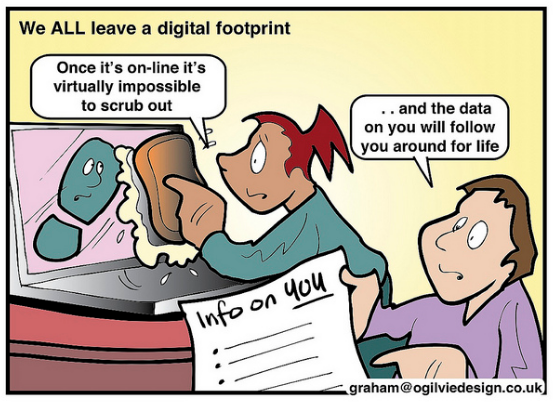
After reviewing this week’s readings and resources, I realized it was time for me to take my original goals relating to information literacy to the next level. It’s time for me to think about information literacy in a different mindset.  Instead of focusing on the blend of information and technology, I need to think more about how I can teach students to use technology to find true information and how to read and dissect that information to apply it in more meaningful ways. This means teaching my students how to distinguish between real and fake information and promoting digital literacy.  I also need to teach my students that, while they are young, they are already leaving a digital footprint in the world.  What do they want their digital footprint to say about them as a student and a learner?

This is a new challenge for me because, in some ways, it requires me to change my own mindset.  After all, I’ve been a classroom teacher for 8 years, and my end goals for students as a librarian are a little different. All of this is coming during a shift with the release of the new AASL standards, and just like 5 years ago, I will need to collaborate with my peers to reach my goals.  We will need to go on an “information diet” together. I am thankful that my district leaders have already chosen for the school librarians professional development to focus on the new AASL standards so that we can work together to figure how we can best meet the needs of the students which we serve.

Saturday, September 1, 2018

AASL or ISTE

As a new school librarian, I am more aware of the AASL standards than the ISTE standards because the district in which I work has opted to follow the AASL standards.  We will even be doing a book study of sorts of these new standards as the school year progresses. I am excited about this opportunity because there are quite a few veteran librarians who work in my district, and I look forward to learning from them as we process these standards together.  I am not as familiar with the ISTE standards, however, I have perused them for other courses in this program.
First librarians meeting where we discussed changes for this school year with our new Super Intendent. 
The AASL standards focus on 6 foundations which all of the other standards are rooted: inquire, include, collaborate, curate, explore, and engage.  As a new librarian, I appreciate how the AASL standards provide insight on what learners, school librarians, and libraries should accomplish throughout the year.  I also like how the AASL standards focus a lot on intellectual freedom, which is already something I have had to fight for this school year. When I walked into my “new” library, I was shocked to find that the entire library was leveled by Fountas and Pinnell.  No, I don’t mean that the books had the levels on them, I mean that the WHOLE library was organized by F&P. There was a shelf with all of the “A” level books and so on, and students have been encouraged to only check out from those shelves. I quickly went to the principal and presented research so that I could change the layout, and was approved to do so.  The library is now a much more inviting space where I feel the kids have more freedom to check out what they are interested in instead of being limited to a level.

In contrast to the AASL standards, the ISTE standards contain 7 key foundations: empowered learner, digital citizen, knowledge constructor, innovative designer, computational thinker, creative communicator, and global collaborator.  ISTE’s standards are more learner-centered and, to me, align themselves with the College and Career Readiness standards already adopted by South Carolina. There is a huge focus on technology and the skills associated with technology which are needed by today’s learners.  Personally, I will need to delve more deeply into the ISTE standards, especially since my district was recently chosen to be part of a pilot program from the Education Oversight Committee where we will become 1 to 1 thereby eliminating the need for weather makeup days because students will take the devices home daily.

Both sets of standards have positive implications for students and the school library.  However, I will probably be more focused on the AASL standards simply because those have been selected as the focus for my district.  I am interested in learning more about the ISTE standards, and how they could aid in my district’s impending 1 to 1 initiative.